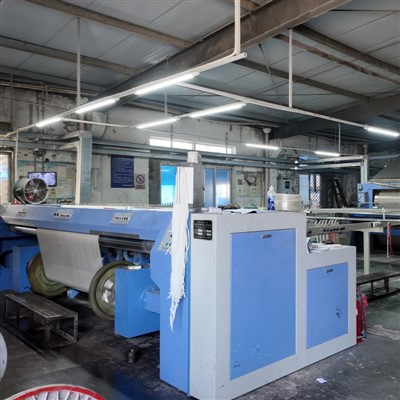
Operating the control panel of a Polyester Beaming Machine is a crucial skill for anyone involved in the textile industry. As a supplier of Polyester Beaming Machines, I understand the importance of providing clear and detailed guidance on how to operate these machines effectively. In this blog post, I will walk you through the step-by-step process of operating the control panel of a Polyester Beaming Machine, highlighting key features and functions along the way.
Understanding the Control Panel Layout
Before you start operating the Polyester Beaming Machine, it's essential to familiarize yourself with the control panel layout. The control panel typically consists of a variety of buttons, switches, and displays that allow you to control the machine's functions. Here are some common components you may find on the control panel:
- Power Switch: This is the main switch that turns the machine on and off. Make sure to turn off the power switch when the machine is not in use to prevent any electrical hazards.
- Speed Control: The speed control button allows you to adjust the speed of the beaming process. You can increase or decrease the speed depending on the specific requirements of your project.
- Tension Control: Tension control is crucial for ensuring that the polyester yarn is wound evenly onto the beam. The tension control button allows you to adjust the tension of the yarn during the beaming process.
- Length Counter: The length counter displays the length of the yarn that has been wound onto the beam. This is useful for keeping track of the amount of yarn used and ensuring that the beam is filled to the desired length.
- Stop/Start Button: The stop/start button allows you to start and stop the beaming process. Press the start button to begin the beaming process, and press the stop button to pause or stop the process.
- Emergency Stop Button: The emergency stop button is a safety feature that allows you to immediately stop the machine in case of an emergency. Make sure to familiarize yourself with the location of the emergency stop button and use it only when necessary.
Step-by-Step Guide to Operating the Control Panel
Now that you have a basic understanding of the control panel layout, let's walk through the step-by-step process of operating the Polyester Beaming Machine:
- Power On: Turn on the power switch to supply electricity to the machine. Make sure that all the electrical connections are secure and that the machine is properly grounded.
- Set the Speed: Use the speed control button to set the desired speed of the beaming process. The speed should be adjusted based on the type of polyester yarn being used and the specific requirements of your project.
- Adjust the Tension: Use the tension control button to adjust the tension of the yarn. The tension should be set to ensure that the yarn is wound evenly onto the beam without any slack or excessive tension.
- Set the Length: Use the length counter to set the desired length of the yarn to be wound onto the beam. This will help you keep track of the amount of yarn used and ensure that the beam is filled to the desired length.
- Load the Yarn: Load the polyester yarn onto the creel of the beaming machine. Make sure that the yarn is properly threaded through the guides and that there are no knots or tangles.
- Start the Beaming Process: Press the start button to begin the beaming process. The machine will start winding the yarn onto the beam at the set speed and tension.
- Monitor the Process: During the beaming process, monitor the control panel to ensure that the machine is operating smoothly. Check the length counter to make sure that the beam is being filled to the desired length, and adjust the speed and tension as needed.
- Stop the Beaming Process: When the beam is filled to the desired length, press the stop button to stop the beaming process. Make sure to turn off the power switch when the machine is not in use.
Key Features and Functions of the Control Panel
The control panel of a Polyester Beaming Machine offers a variety of key features and functions that enhance the efficiency and productivity of the beaming process. Here are some of the key features and functions you may find on the control panel:
- Automatic Stop: The control panel may have an automatic stop function that allows you to set a specific length or time for the beaming process. Once the set length or time is reached, the machine will automatically stop, preventing over-winding and ensuring consistent quality.
- Digital Display: The control panel may have a digital display that shows the speed, tension, length, and other important parameters of the beaming process. This allows you to monitor the process in real-time and make adjustments as needed.
- Memory Function: The control panel may have a memory function that allows you to save and recall different settings for different projects. This can save you time and effort by eliminating the need to manually adjust the settings each time you start a new project.
- Alarm System: The control panel may have an alarm system that alerts you when there is a problem with the machine, such as a broken yarn or a malfunction. This allows you to take immediate action to prevent any damage to the machine or the yarn.
Tips for Operating the Control Panel
Here are some tips to help you operate the control panel of a Polyester Beaming Machine effectively:
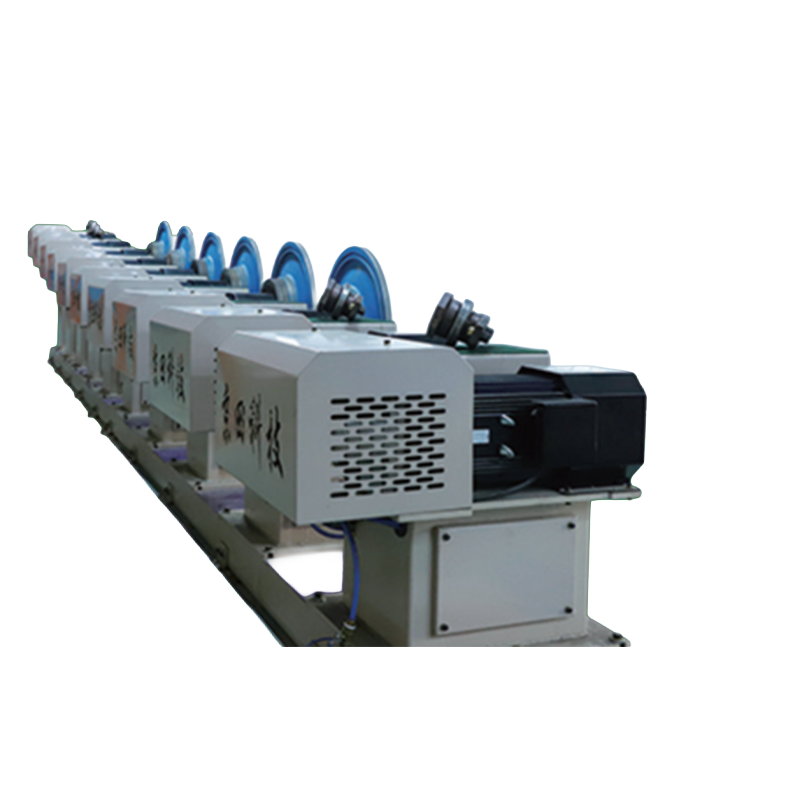

- Read the Manual: Before operating the machine, make sure to read the user manual carefully. The manual provides detailed instructions on how to operate the control panel and the machine, as well as safety precautions and maintenance guidelines.
- Practice on a Small Scale: If you are new to operating the Polyester Beaming Machine, it's a good idea to practice on a small scale first. This will help you familiarize yourself with the control panel and the machine's functions without risking any damage to the yarn or the machine.
- Keep the Control Panel Clean: The control panel should be kept clean and free of dust and debris. Use a soft, dry cloth to clean the control panel regularly to prevent any damage to the buttons and displays.
- Perform Regular Maintenance: Regular maintenance is essential for ensuring the smooth operation of the Polyester Beaming Machine. Make sure to follow the maintenance schedule recommended in the user manual and perform any necessary maintenance tasks, such as lubrication and cleaning.
Conclusion
Operating the control panel of a Polyester Beaming Machine is a skill that can be learned with practice and experience. By familiarizing yourself with the control panel layout, following the step-by-step guide, and using the key features and functions of the control panel, you can operate the machine effectively and efficiently. If you have any questions or need further assistance, please feel free to contact us. We are a leading supplier of Beaming Machine for Industrial Fabric, Textile Beaming Machine, and High - Speed Beaming Machine, and we are committed to providing our customers with the best products and services. Contact us today to discuss your beaming machine needs and start a procurement negotiation.
References
- Textile Machinery Handbook
- Polyester Beaming Machine User Manual